0
0
 0
0
A GPS tracker can be one of the most useful security upgrades you install on your car. Whether you drive a Hyundai Tiburon, Genesis Coupe, Veloster N, Elantra N, Kia Stinger, or a daily commuter, a tracker can help you locate your vehicle if it is stolen, monitor movement, and give you peace of mind when the car is parked.
Unlike a steering wheel lock or alarm, a GPS tracker does not physically stop someone from stealing your vehicle. Instead, it helps you know where the car is after it moves. For that reason, it works best as part of a layered anti-theft setup.
A good security plan might include:
A steering wheel lock.
A hidden kill switch.
A dash cam with parking mode.
An alarm system.
A GPS tracker.
Smart parking habits.
Together, these make your car harder to steal and easier to recover.
First: Make Sure You Are Using It Legally
Before installing a GPS tracker, the most important rule is simple:
Only install a tracker on a vehicle you own or are legally responsible for.
Do not install a GPS tracker on someone else’s car without clear permission. Tracking another person without consent may violate privacy laws and can create serious legal consequences.
For personal vehicles, company fleet vehicles, family cars, or project cars you own, GPS trackers can be very useful. But they should be used responsibly.
What Does a Car GPS Tracker Do?
A car GPS tracker uses satellite positioning and usually a cellular connection to report the vehicle’s location to an app or website.
Depending on the model, it may offer:
- Live location tracking
- Movement alerts
- Geofence alerts
- Driving history
- Speed alerts
- Low battery alerts
- Tow-away alerts
- Ignition alerts
- Theft recovery support
Some trackers are basic and only show location. Others are more advanced and can send alerts the moment your car moves.
Types of GPS Trackers
There are three main types of GPS trackers commonly used in cars.
1. OBD-II GPS Tracker
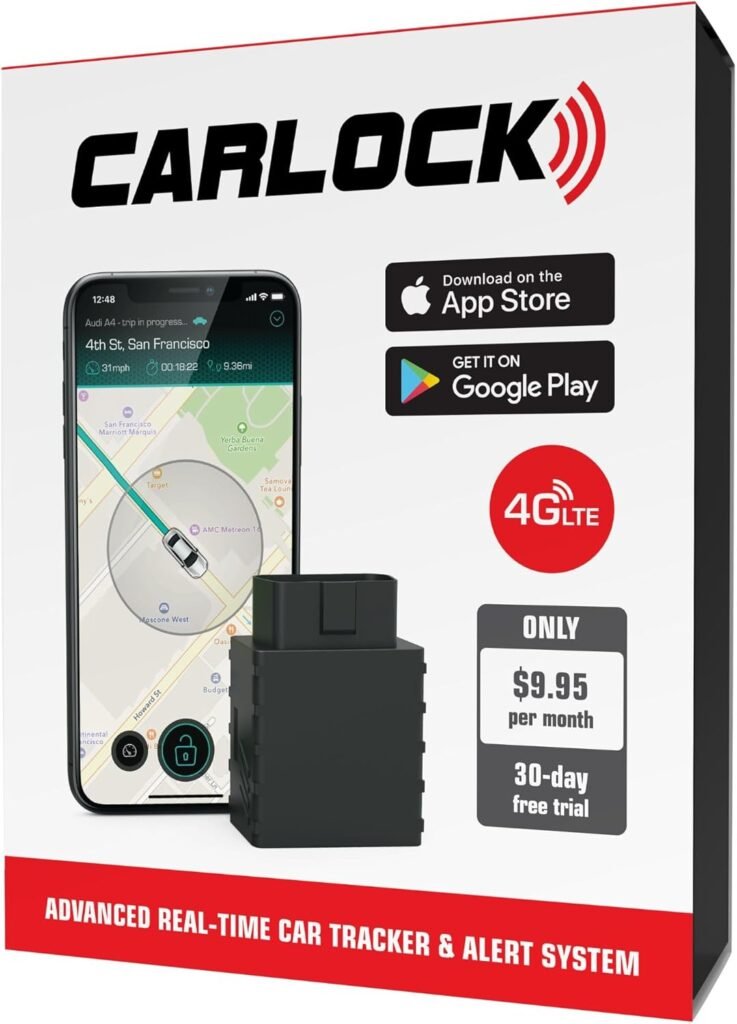
An OBD-II tracker plugs into the diagnostic port under the dashboard.
Pros
- Very easy to install
- No wiring required
- Gets power from the vehicle
- Can sometimes read basic vehicle data
- Good for beginners
Cons
- Easy to find if someone checks the OBD port
- May interfere with diagnostic tools
- Not ideal for long-term hidden security
- Some cars may keep the port powered differently
This is the easiest option for most owners. If you want a simple plug-and-play solution, an OBD tracker is the fastest way to start.
2. Battery-Powered GPS Tracker
A battery-powered tracker has its own internal battery and does not need to be connected to the car’s wiring.
Pros
- No wiring required
- Can be placed in different areas of the vehicle
- Useful for seasonal cars
- Easy to remove and recharge
Cons
- Needs recharging
- Battery life varies
- May stop working if forgotten
- Usually larger than wired units
Battery trackers are good for people who do not want to touch the car’s electrical system.
3. Hardwired GPS Tracker
A hardwired tracker is connected directly to the vehicle’s electrical system.
Pros
- More permanent installation
- No regular recharging
- Better for long-term security
- Can be installed more cleanly
- May support ignition detection
Cons
- Requires electrical work
- Poor installation can cause issues
- May need professional installation
- Must be fused properly
A hardwired tracker is usually the best long-term option, but it should be installed carefully.
Tools You May Need
Depending on the tracker type, you may need:
- Trim removal tools
- Zip ties
- Electrical tape
- Multimeter
- Fuse tap
- Correct fuse
- Wire crimper
- Ring terminal
- Heat shrink tubing
- Owner’s manual
- Flashlight
- Smartphone app for setup
For an OBD tracker, you may only need the tracker and your phone.
For a hardwired tracker, you need to be much more careful with wiring, fuses, and grounding.
Step 1: Choose the Right Tracker
Before installing anything, decide what you want the tracker to do.
Ask yourself:
Do I want live tracking?
Do I want theft alerts?
Do I want driving history?
Do I want a rechargeable unit?
Do I want a hidden permanent install?
Do I want an app with geofencing?
Do I want a subscription or no subscription?
Most GPS trackers require some type of monthly or yearly service plan because they use cellular data to report location.
Do not buy based only on price. A cheap tracker with bad app support, poor cellular coverage, or unreliable alerts may not help when you need it most.
Step 2: Activate the Device First
Before installing the tracker in the car, set it up indoors.
Usually this involves:
- Charging the tracker if battery-powered
- Installing the app
- Creating an account
- Activating the SIM or service plan
- Testing location updates
- Confirming notification settings
- Checking movement alerts
- Setting up geofences if supported
Do not hide the tracker inside the car before confirming it works.
A tracker that is installed but not activated is just dead weight.
Step 3: Pick the Installation Method
If You Use an OBD Tracker
Installation is simple.
Find the OBD-II port, usually under the dashboard near the driver’s side. Plug the tracker in firmly. Open the app and confirm that the device is powered and reporting location.
This is the easiest method, but it is also the most obvious.
For extra security, some owners use an OBD extension cable to relocate the tracker. If you do this, make sure the cable is secure and does not interfere with pedals, steering, or diagnostics.
If You Use a Battery-Powered Tracker
Fully charge the device first.
Then place it somewhere inside the vehicle where it can get a decent signal and will not move around while driving.
Good general areas include:
- Glove box
- Center console
- Trunk storage compartment
- Under a seat if secure
- Rear cargo area
- Interior trim pocket
Avoid placing it somewhere that gets extremely hot, wet, or crushed by moving parts.
Check the app after placement to confirm the signal still works.
If You Use a Hardwired Tracker
A hardwired tracker usually needs:
- Constant 12V power
- Ground
- Sometimes ignition-switched power
The exact wiring depends on the device.
A common approach is using an add-a-fuse connection in the interior fuse box. This avoids cutting factory wiring and allows the circuit to be protected with a fuse.
Important safety rules:
- Use the correct fuse rating.
- Use proper crimp connectors.
- Do not twist wires together and tape them loosely.
- Do not connect to airbag, brake, steering, or safety system circuits.
- Do not route wires near pedals.
- Do not leave wires dangling.
- Disconnect the battery if required by the installation instructions.
- Use a multimeter to confirm power sources.
If you are not comfortable with automotive wiring, have a professional installer do it.
A GPS tracker should not create electrical problems.
Step 4: Choose a Safe Location
Placement matters.
A GPS tracker needs to be secure, protected, and able to communicate.
Avoid locations that are:
- Too close to extreme heat
- Exposed to water
- Crushed by seat rails
- Near pedals
- Blocking airbags
- Inside metal enclosures that kill signal
- Loose enough to rattle
- Easy to kick or damage
For security, the tracker should not be obvious. But do not bury it so deeply that it cannot get signal or be serviced later.
The best location is a balance between concealment, signal quality, safety, and serviceability.
Step 5: Secure the Tracker
Once the device location is chosen, secure it properly.
Use:
- Zip ties
- Velcro
- Mounting tape
- Brackets
- Existing trim spaces
- Soft foam to prevent rattles
Do not let the tracker bounce around inside the dashboard, glove box, trunk, or console.
A loose tracker can become annoying, damaged, or disconnected.
Step 6: Test Before Reassembling Everything
Before putting trim panels back, test the system.
Confirm:
- The tracker powers on.
- The app shows the correct location.
- Movement alerts work.
- Geofence alerts work.
- Battery status appears if supported.
- The tracker still reports after the car is parked.
- The tracker still reports after driving.
- No warning lights appear on the dashboard.
- Nothing interferes with pedals or steering.
For hardwired trackers, check that the device stays powered according to the manufacturer’s instructions.
Some trackers need constant power. Others need ignition sense. Make sure yours is behaving correctly.
Step 7: Set Up Alerts
The real value of a tracker is alerts.
Useful alerts include:
Movement Alert
Notifies you if the car moves unexpectedly.
Geofence Alert
Notifies you if the vehicle leaves a defined area, such as your home, workplace, or storage location.
Ignition Alert
Notifies you when the car is turned on.
Low Battery Alert
Useful for battery-powered trackers or cars stored for long periods.
Tow Alert
Some trackers can detect motion even if the engine is not started.
For a project car or seasonal vehicle, geofence and movement alerts are especially useful.
Step 8: Maintain the Tracker
A GPS tracker is not a “set it and forget it forever” device.
You should occasionally check:
- App login
- Subscription status
- Battery level
- Signal strength
- Firmware updates
- Device placement
- Wiring condition
- Alert settings
For battery-powered trackers, set a reminder to recharge it.
For hardwired trackers, check that it is not draining the car battery, especially if the vehicle sits for long periods.
Will a GPS Tracker Drain Your Battery?
It can, depending on the device and how the car is used.
Most trackers use very little power, but even small power draw can matter if the car sits for weeks.
If your car is stored long-term, consider:
- Battery tender
- Low-power tracker mode
- Battery-powered tracker
- Periodic battery checks
- Disconnect switch if appropriate
Modified or older vehicles may already have parasitic drain, so adding another device should be done thoughtfully.
Best Uses for a GPS Tracker
A tracker is useful for:
- Theft recovery
- Project cars
- Cars parked outside
- Seasonal vehicles
- Modified cars
- Fleet vehicles
- Teen driver monitoring with consent
- Road trip safety
- Cars stored away from home
For a modified Korean car, especially something rare or personally important, a tracker can be one of the smartest upgrades you make.
GPS Tracker vs. AirTag
Some owners use Bluetooth item trackers as a cheap alternative.
These can help, but they are not the same as a real GPS tracker.
Bluetooth trackers rely on nearby phones or devices to report location. A proper GPS tracker usually uses satellite location and cellular data.
A Bluetooth tracker can be a helpful extra layer, but for serious vehicle security, a dedicated GPS tracker is usually better.
Should You Tell Others About the Tracker?
If multiple people legitimately use the vehicle, it is usually better to be transparent.
For example:
- Family car
- Shared vehicle
- Company vehicle
- Employee vehicle
- Teen driver vehicle
Privacy and consent matter.
For your own personal vehicle, you do not need to advertise the tracker at car meets. But you should avoid using it in any way that tracks people without permission.
Common Mistakes to Avoid
Installing Before Activation
Always activate and test the device first.
Choosing a Bad Location
If the tracker cannot get signal, it cannot help you.
Poor Wiring
Bad wiring can cause blown fuses, battery drain, or electrical issues.
Forgetting the Subscription
Many trackers stop working if the plan expires.
Not Testing Alerts
A tracker is far less useful if alerts are not set up correctly.
Depending on GPS Alone
A tracker helps recovery, but it does not prevent theft by itself.
GPS Trackers for Korean Car Enthusiasts
Hyundai Tiburon
A tracker makes sense for clean Tiburons because they are getting harder to find. If you have a rare color, clean body, turbo build, or Tuscani-themed setup, recovery matters.
Genesis Coupe
The Genesis Coupe is popular with tuners and drift enthusiasts, which makes security important. A tracker is a smart addition for modified builds.
Veloster N and Elantra N
These cars are modern, desirable, and performance-oriented. A GPS tracker can add peace of mind, especially when parked outside or at events.
Kia Stinger GT
The Stinger is powerful, expensive, and attractive to thieves. A tracker is a logical upgrade, especially when combined with dash cam parking mode and a steering lock.
IONIQ 5 N and EVs
EVs already have advanced software, but an independent tracker can still provide another layer of security. Just be mindful of power draw and placement.
Final Thoughts
Installing a GPS tracker is one of the smartest anti-theft upgrades you can make for your car. It will not physically stop someone from stealing the vehicle, but it can help you respond quickly, locate the car, and improve the chance of recovery.
For most beginners, an OBD or battery-powered tracker is the easiest option. For long-term security, a properly installed hardwired tracker is usually better.
The key is doing it responsibly.
Use it only on vehicles you own or have permission to track.
Install it safely.
Test it properly.
Set up alerts.
Maintain the device.
Combine it with other security measures.
For Korean car enthusiasts, especially owners of modified Tiburons, Genesis Coupes, Veloster Ns, Elantra Ns, Stingers, and other KDM builds, a GPS tracker can protect more than transportation. It protects the time, money, and passion you have invested into your car.